Guide · SEO
Google AI content guidelines
Read article →
For two years, most businesses have been guessing about AI Overviews.

For two years, most businesses have been guessing about AI Overviews. You could see a page losing clicks while impressions held steady, and you could suspect Google's AI answers were the reason, but Search Console gave you no direct way to check. That has changed. Google's generative AI performance reports, first tested with a subset of sites in June 2026, have been available to every website worldwide since 31 August 2026.
If you run a UK business website and have not opened the Search Console AI performance report yet, this guide covers what it shows, what it does not, how to read it without fooling yourself, and when (if ever) you should touch the new control that removes your site from AI features. At BlackFire Marketing, we run SEO for UK and US brands, so the focus here is the same as ours: visibility that turns into enquiries and sales, not a new chart to admire.
Google announced the reports on its Search Central blog on 3 June 2026, describing them as dedicated views of your impressions within generative AI features on Search, plus a separate report for generative AI features in Discover. According to Google's own announcement for website owners, the first test group was a subset of sites in the UK, before the global rollout at the end of August.
The Search report currently covers two features:
Google says it expects to add to that list over time. Experiments in Search Labs are excluded.
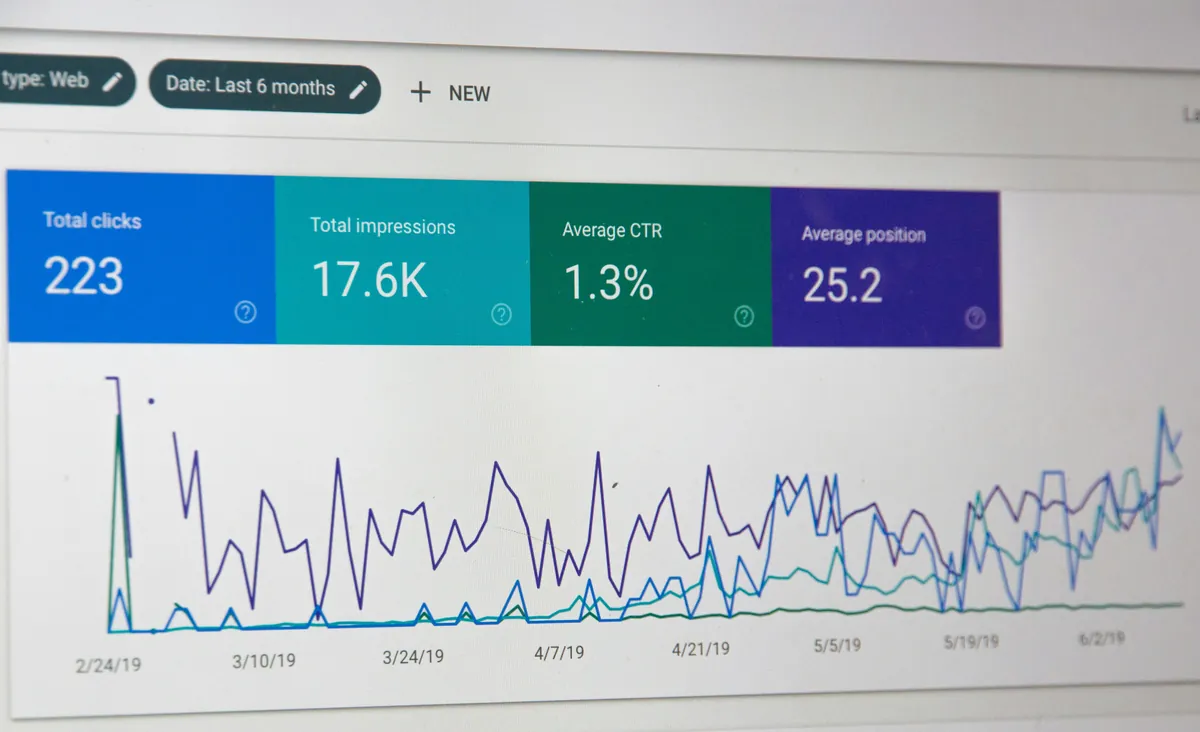
Importantly, this data is not new traffic hiding somewhere else. Google's help documentation says the AI report draws on the same Web search type data as the main Performance report. Your AI Overview impressions were already inside your overall numbers. The new report simply separates them out so you can see them on their own.
The report gives you impressions, which Google defines as how many times links to your site were shown to a user in a generative AI feature on Search. You can then group that data by four dimensions:
There is also a search type filter that splits Web: text-based from Web: multimodal. Multimodal covers people searching with images, including Google Lens, Circle to Search on Android, uploaded images and Chrome's image search. Google added multimodal reporting on 24 September 2026, so if you sell visual products such as food, fashion or homeware, it is worth checking whether any of your AI impressions come from people pointing a camera at something.
You can export the chart and table. Any value shown as a tilde or dash in the interface becomes a zero in the download, which matters if you are pulling the data into a spreadsheet or Looker Studio.
This is where most early commentary goes wrong, so it is worth being plain about it.
There are no clicks. As Search Engine Land reported at the global launch, the AI report includes impressions, pages, countries, devices and dates, but not click data. You can see that a page was shown in an AI Overview. You cannot see, from this report alone, whether anyone clicked through from it.
There is no query dimension. The dimensions are pages, countries, devices and dates. You will not see the searches that triggered an AI appearance in this report.
Impressions are counted once per property in the chart. If two results from your site appear in the same AI feature, Google counts that as a single impression in the chart total. Filter by URL and the chart counts by URL instead. That is why chart totals and table totals can disagree.
Recent data moves. The newest data can be preliminary and is shown with a dotted line. Do not make decisions on yesterday afternoon's numbers.
The usual limits still apply. The 1,000 row limit and the standard time windows from the Performance report carry across.
Put simply, the AI report tells you whether you are visible inside AI answers and where. It does not tell you what that visibility is worth. For that you still need clicks, conversions and enquiry data from elsewhere, which is the same principle we set out in our guide to measuring marketing ROI.

It is tempting to sort by impressions and call the top pages winners. A more useful approach is to read the report alongside the main Performance report.
Export the Pages tab from the AI report and the Pages tab from the main Performance report for the same date range. Put them side by side. Pages with high AI impressions and falling organic clicks are the ones where an AI answer may be satisfying the search before anyone reaches your site. Pages with high AI impressions and steady or rising clicks are being cited and still earning visits.
Look at whether the cited pages are guides and FAQs or the service pages that actually convert. Guides being cited is fine, as long as they link clearly to the page that converts. If your most cited page is a blog post with no route to a service page or contact form, fix the internal linking before anything else.
If you trade in the UK and the US, the Countries tab will show whether AI visibility is coming from the market you actually serve. Separately, Google said on 6 October 2026 that the main Performance report filters now let you view combined traffic for several countries at once, which makes like-for-like comparisons easier for multi-market businesses.
Use weekly or monthly granularity. AI features change often. Google announced another round of changes to AI Mode and AI Overviews on 15 October 2026, including clearer inline links and more context about sources. Changes like that can shift your numbers without anything happening on your site.
Google's September 2026 spam update ran from 24 September to 8 October, taking 13 days and 16 hours according to Search Engine Journal's reporting of Google's status dashboard. If you are comparing periods, avoid treating that window as normal.
Data is only useful if it changes what you do next. Here are the actions worth taking once the AI report is in front of you.
Strengthen the pages already being cited. If a page is appearing in AI Overviews, it already has something Google trusts. Make sure it is accurate, up to date, clearly written by a real person, and has a strong path to a service or contact page. Our post on Google's AI content guidelines explains why original effort and real authorship matter more than ever.
Find the gaps. If competitors keep appearing in AI answers for topics you cover and you do not, look at whether your page answers the question directly near the top, uses clear headings, and has structured data where it fits. The wider approach is covered in our guides to GEO and AEO for UK SMEs and AI search optimisation.
Fix the technical basics. Because data is attributed to canonical URLs, messy canonicals or redirect chains will scatter your AI impressions across the wrong pages. If you have recently changed your site, our website redesign SEO checklist covers the redirects and canonicals to check.
Tie it back to leads. An AI impression is a top-of-funnel signal at best. We judge SEO on qualified enquiries, which is why we push clients to track form fills and calls by landing page. Our piece on lead quality vs quantity explains why volume alone is a poor target.

Alongside the reports, Google released a control in Search Console under Settings, then Search generative AI. It has three options:
Google is clear about what excluding means. Your links and content will not appear in those features, your content will not be used to ground AI responses there, and you will not receive any traffic or impressions from them. Google also says the control is not used as a ranking signal for other parts of Search.
There are a few points people often miss:
For most UK businesses that rely on search for leads, we would not opt out. Other sites will still be shown in those features, and Google notes that their content may appear similar to yours. Opting out removes you from the answer without removing the answer. The control makes more sense for publishers whose business model depends on people reading the full article on their site, and even then the decision should follow a look at your AI report data, not come before it.
If you also run Google Ads, AI features are changing how ads appear on the same searches, which we covered in our post on Google AI Mode and paid search. Review organic and paid together on high-value terms rather than letting each channel report in isolation. That is how we plan paid media alongside SEO.
Yes. Google first tested it with a subset of UK sites and rolled it out to all websites worldwide on 31 August 2026.
Google says this usually means your site has not received enough impressions in generative AI features. It can also happen if your site has been excluded using the Search generative AI control.
No. It shows impressions, broken down by page, country, device and date. Use the main Performance report and your analytics for clicks and conversions.
Google says the Search generative AI control is not used as a ranking or inclusion signal for other parts of Search. You will, however, lose any traffic or impressions from AI Overviews, AI Mode and AI features in Discover.
The Search Console AI performance report finally gives UK businesses real data on AI visibility. Used well, it shows which pages Google trusts enough to cite, where you are missing, and whether that visibility lines up with the markets you sell in. Used badly, it becomes another vanity chart.
If you want a clear read on how your site is performing in AI Overviews and AI Mode, and a plan that ties that visibility back to enquiries, get in touch with BlackFire Marketing or take a look at our SEO services.
If you want a clear read on how your site is performing in AI Overviews and AI Mode, and a plan that ties that visibility back to enquiries, get in touch.
Get in touch
No-fluff takes on what brands get right, get wrong, and stay strangely quiet about - delivered straight to your LinkedIn feed. Free, and worth the inbox space.
Subscribe on LinkedIn